This guide will walk you through setting up JiaDX and making your first funding rate arbitrage trade. Follow these steps to get started.
Prerequisites
Before you begin, you'll need:
- Accounts on at least 2 supported exchanges (Hyperliquid, Aster, Paradex, or Lighter)
- Funds deposited on both exchanges (USDC or USDT depending on exchange)
- A Google account for JiaDX login
1 Sign In to JiaDX
Go to jiadx.app/login and sign in with your Google account. This creates your secure JiaDX account.
2 Generate Exchange API Keys
On each exchange you want to use:
- Go to API settings/management
- Create a new API key
- Enable trading permissions
- Disable withdrawal permissions (important for security)
- Save the API key and secret securely
3 Add API Keys to JiaDX
In JiaDX:
- Click ⚙️ API Settings in the header
- Enter your API keys for each exchange
- Click Save
- JiaDX will verify the connection
⚠️ Security Best Practice
Always create API keys with trading only permissions. Never enable withdrawal permissions. This way, even if your keys were compromised, your funds remain safe.
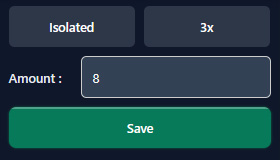
4 Configure Your Settings
On the main dashboard:
- Margin Mode: Choose Isolated (recommended) or Cross
- Leverage: Set your preferred leverage (2-5x recommended)
- Amount: Set your default trade size
5 Find an Opportunity
Browse the Strategies tab to find arbitrage opportunities:
- Look for pairs with high NET APR
- Check the funding rates on each exchange
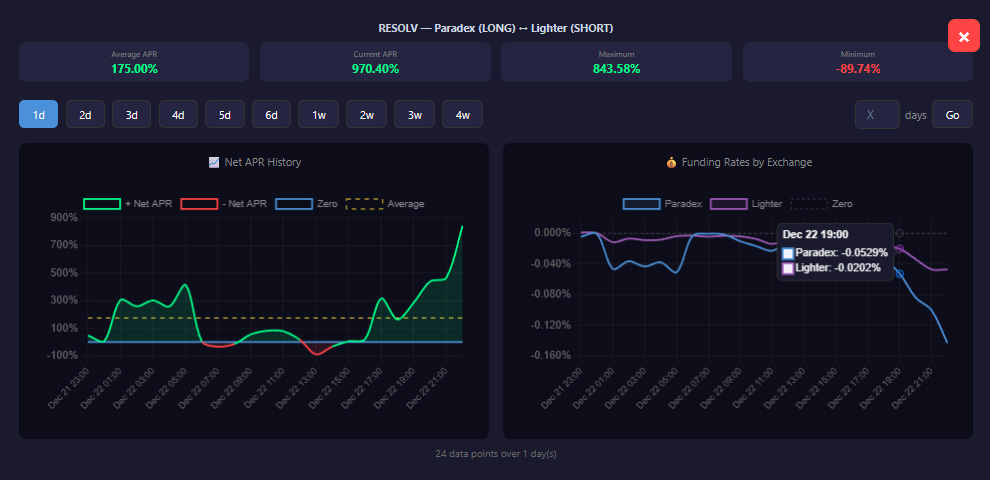
- Review the Average APR history to ensure rates are consistent
- Check if the entry spread is favorable or not
- Consider the funding interval (1h vs 8h)
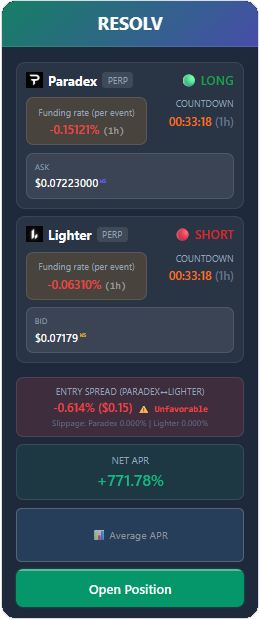
Note: If the entry spread is unfavorable, don't panic — funding payments over time can compensate for an unfavorable entry. However, it's important to factor in the entry spread and estimate how long it will take for funding to cover this initial cost.
Click on Average APR to view the historical funding rate chart:
6 Open a Position
When you find a good opportunity on a strategy card:
- Click Open Position
- Review the details (exchanges, direction, APR)
- Confirm your trade size and click to execute
JiaDX opens both legs simultaneously on both exchanges.
7 Monitor Your Positions
After opening:
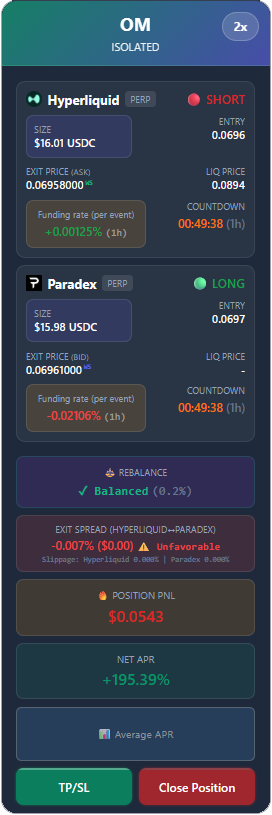
- View your positions in the Positions tab
- Check liquidation prices
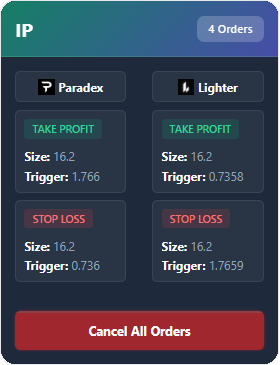
- Set TP/SL orders if desired
- Verify your TP/SL in the Open Orders (TP/SL) tab
- Monitor funding payments as they accrue
Position Card
TP/SL Orders
8 Close When Ready
To close a position:
- Go to the Positions tab
- Click Close on the position
- JiaDX closes both legs simultaneously
- Your profit = funding earned - fees - any PNL from price movement
💡 Tips for Success
- Start with small positions to learn the system
- Use lower leverage (2-3x) until you're comfortable
- Monitor funding rates - they can change
- Don't chase extremely high APRs (often unsustainable)
- Diversify across multiple pairs
🔔 Stay Protected with Alerts & Auto-Close
JiaDX includes built-in safety features for registered users:
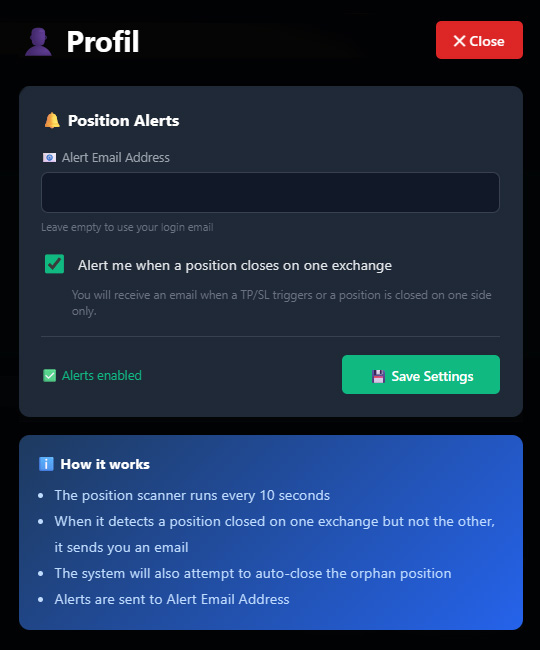
- Email alerts: Get notified about liquidation warnings, orphan positions, and funding rate changes
- Auto-close: If one leg gets liquidated, JiaDX can automatically close the other leg to limit your exposure
Configure these in your Profile settings:
Next Steps
Now that you're set up, learn more about: